How the elm-pebble IDE is built
The IDE is a normal Elixir application: Phoenix on the server, LiveView for the workspace UI, and the usual Mix project layout. It ties together editing, syntax-aware Elm tooling, debugger state, Pebble SDK commands, and AI-facing integration servers without turning project files into ad-hoc strings.
Elixir, Phoenix, LiveView
Sessions, projects, and the editor shell run on the BEAM. LiveView pushes UI updates to your browser while the server keeps project state, runs toolchains, and talks to whatever build or debugger hooks you have wired up.
CodeMirror editor
The source editor is CodeMirror embedded in LiveView. It keeps the browser editing experience fast while the server owns project state, file persistence, formatting requests, completion context, and compiler diagnostics.
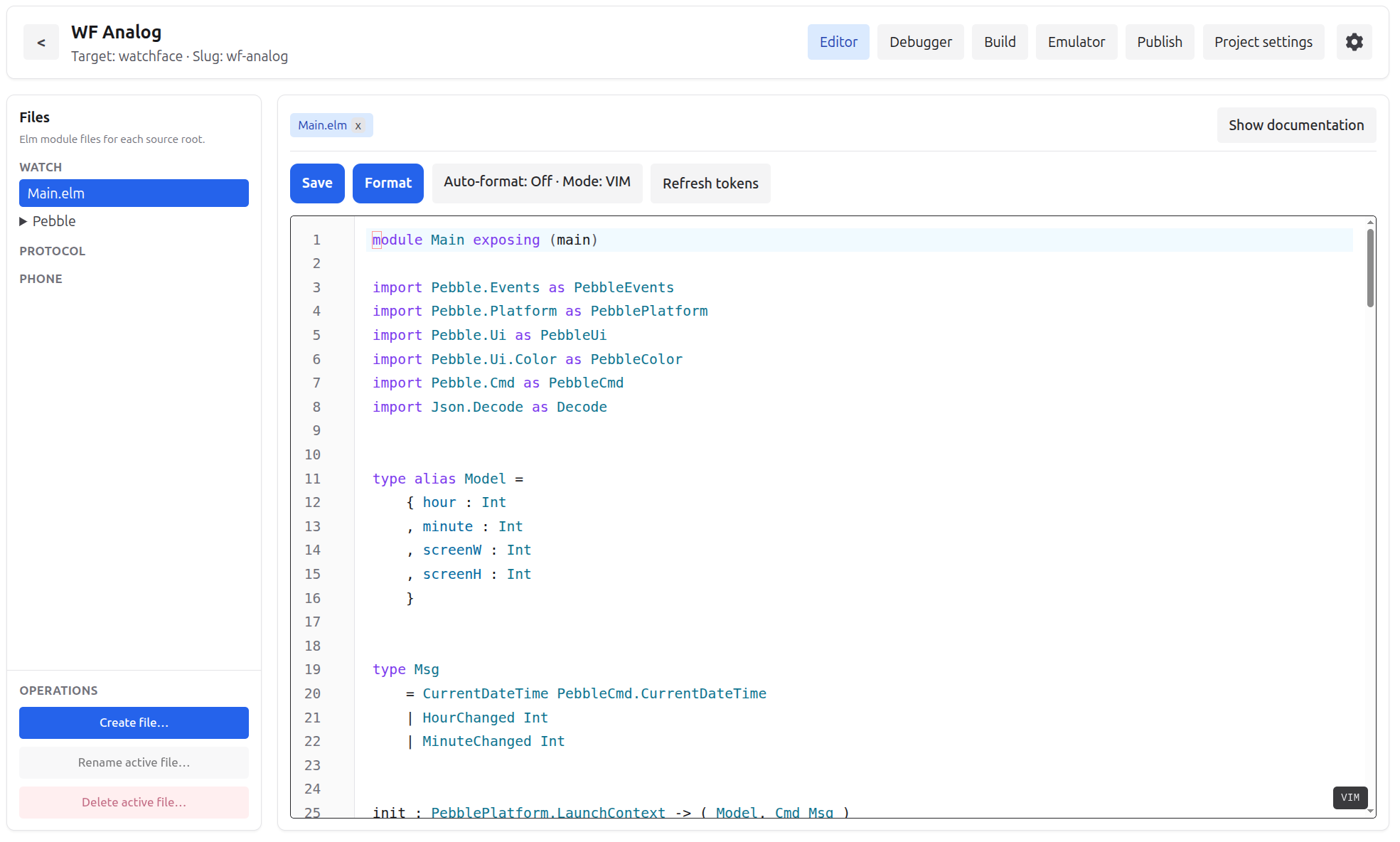
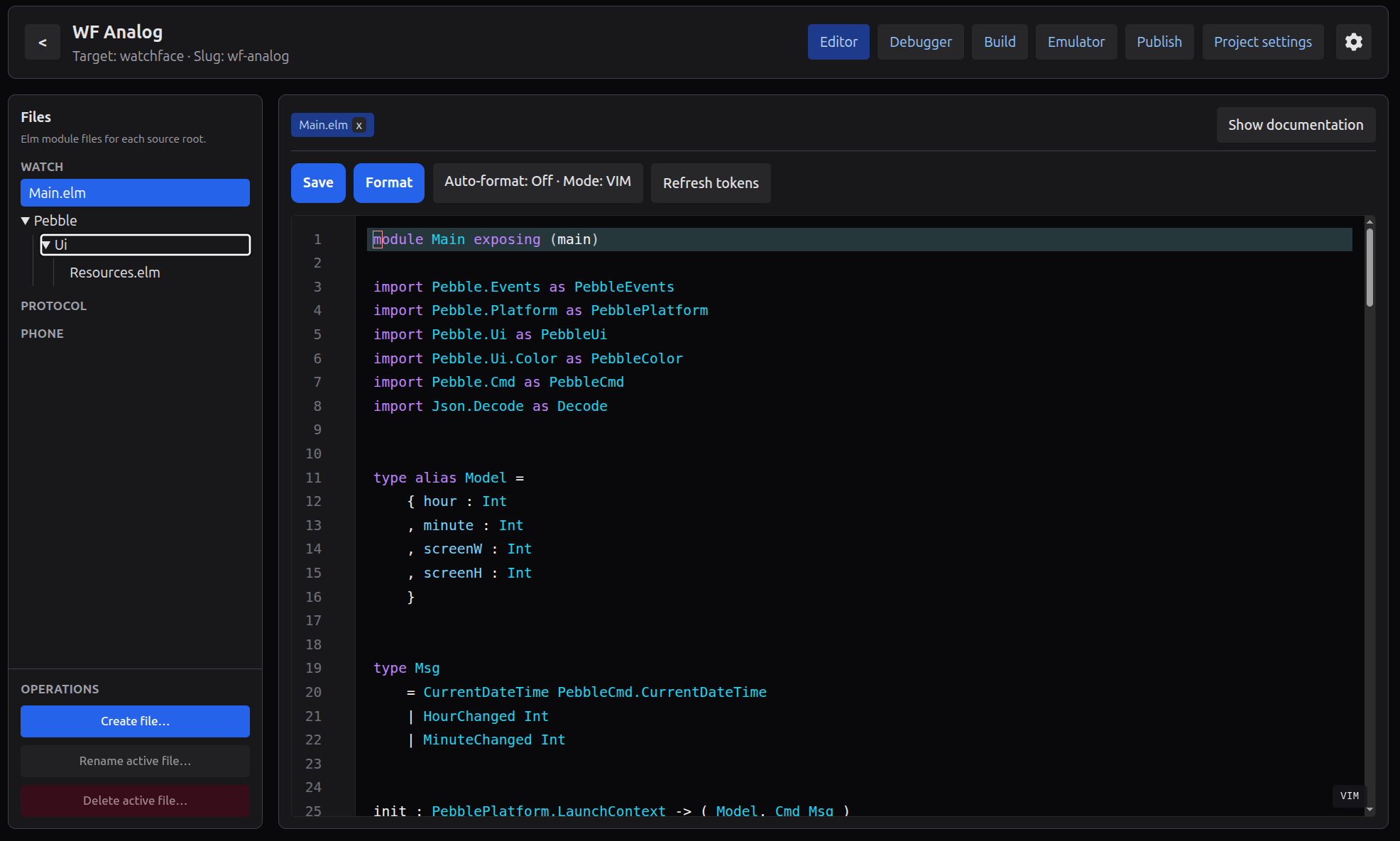
- Syntax-aware highlighting and token classification for Elm source, backed by the IDE’s Elm tokenizer pipeline.
- Auto-complete and hover information through the editor/LSP bridge, with a fallback completion panel when the local server path is used.
- Diagnostics in the gutter, code folding, search keybindings, document formatting, indentation support, active-line highlighting, dark/light themes, and optional Vim mode.
Generated lexers and parsers (Erlang on the BEAM)
The monorepo’s elm_ex package ships leex (`.xrl`) and yecc (`.yrl`) grammars that compile to Erlang lexer and parser modules on the BEAM—`:elm_ex_elm_lexer`, `:elm_ex_elm_parser`, and friends. They drive a faithful token stream and structured passes over Elm source.
- Lexer output feeds syntax-aware classification in the editor (keywords, literals, layout, and compiler mode when you want it).
- Parser-backed metadata captures module headers, imports, and related surface structure so tooling shares one contract instead of hand-rolled regex.
- The same pipeline hands structured information to the formatter’s semantics stages—normalize, layout, finalize—so “format document” is grounded in what the parser actually saw.
Compiler and toolchain path
The watch side uses elmc—the Elm-to-C compiler in the same repo—for the Pebble-shaped workflow: typecheck and extract IR, generate C and Pebble shims, and keep the editor honest about what the compiler can consume. After that, the original Pebble SDK/toolchain is still the thing that builds, packages, installs, and runs the native Pebble app.
The companion app takes a different path. It is compiled with the original Elm compiler to JavaScript, because it runs on the phone/browser side where the extreme watch-size constraints do not apply. That lets the watch stay small and native while the companion can use regular Elm output.
Debugger
The IDE includes a lightweight debugger surface for the watch, companion, and phone runtimes. It tracks runtime models, view previews, compiler events, protocol messages, and subscription-style triggers in a timeline so you can inspect how a project changes over time.
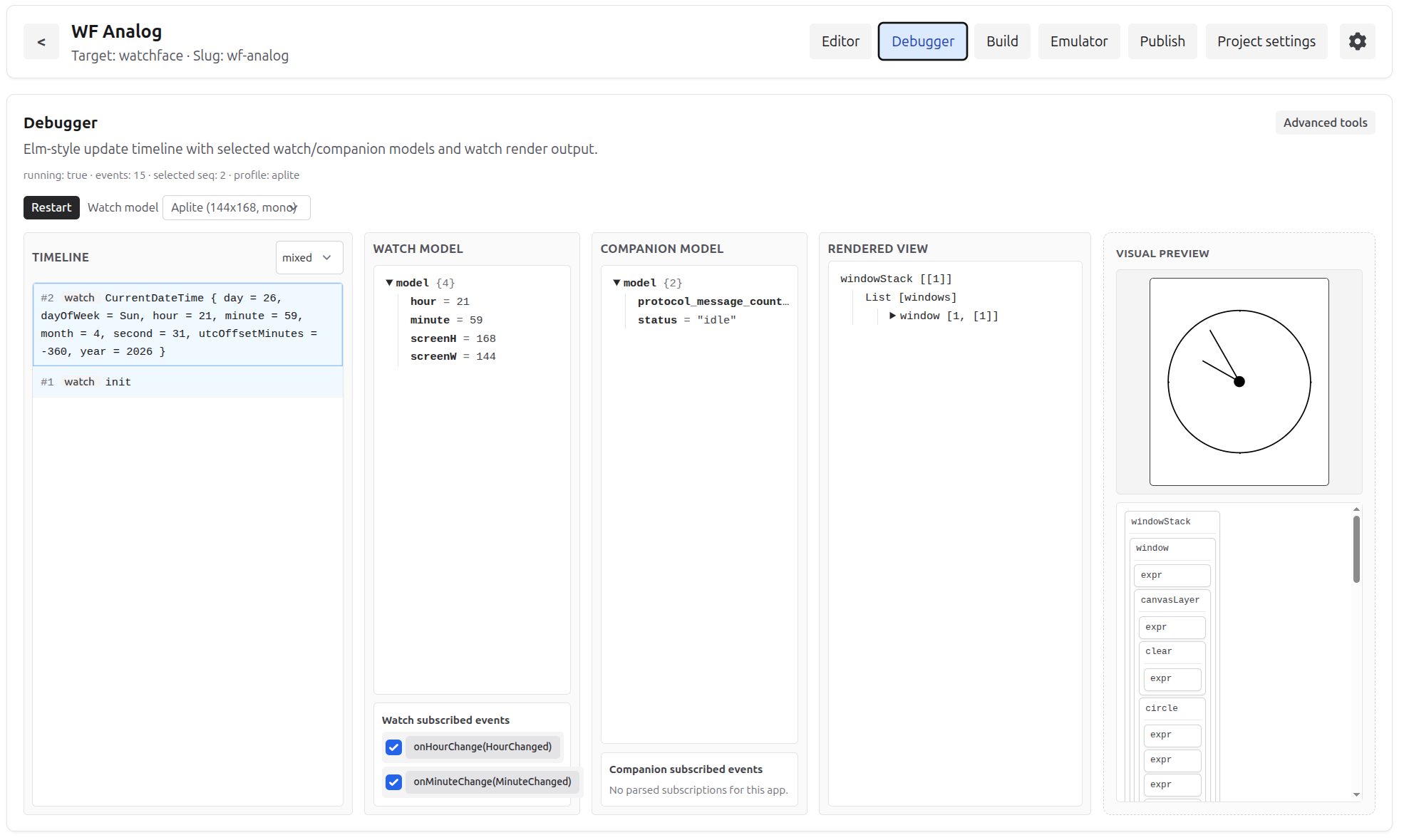
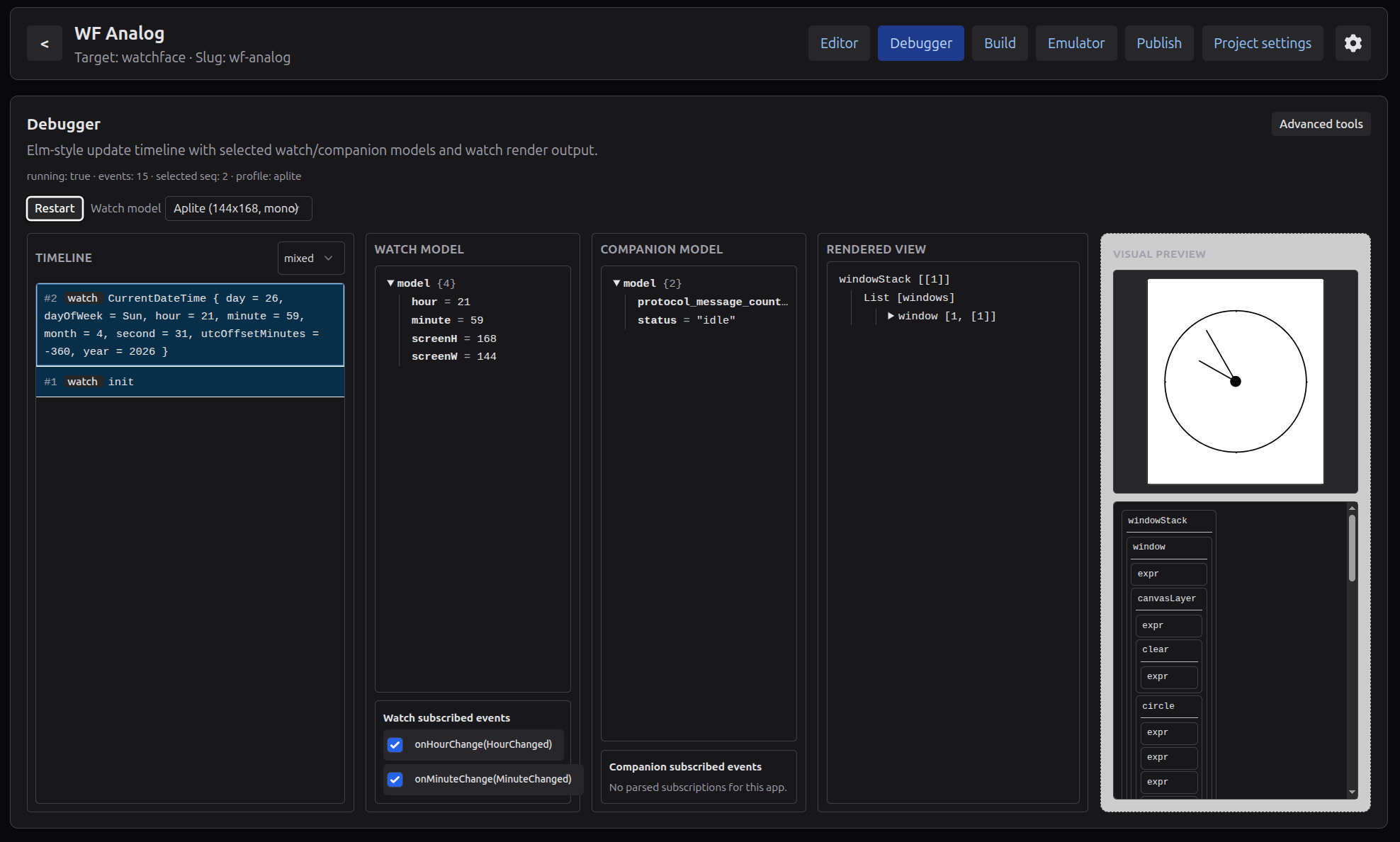
- Start a debugger session from the workspace and see watch, companion, and phone state in one place.
- Fire supported events such as ticks, launch events, button-like triggers, and protocol messages without rebuilding the whole mental model by hand.
- Step through the event timeline, compare snapshots, replay recent messages, and inspect compiler/build events alongside runtime state.
Projects, templates, and publish
The IDE creates projects from templates: starter apps, watchfaces, companion API demos, watch hardware demos, and game starters. Each project can include watch, protocol, and phone source trees with separate elm.json files where needed.
The build loop runs elmc check/compile, packages PBW files with the Pebble SDK, targets emulators or hardware, captures screenshots, and checks release metadata before publishing.
Emulators and simulator settings
The Emulator workspace tab supports an embedded QEMU-based runtime in the IDE container, an external Pebble SDK emulator window, and an optional browser WASM emulator when the runtime assets are built separately.
- Simulator settings adjust battery, connectivity, time, weather, storage, and other companion bridge values that apply while debugging or emulating.
- Embedded emulator storage editing lets you inspect and change Pebble.Storage keys during runs.
- WASM emulation is opt-in: build the runtime with the repository’s wasm-emulator-builder Docker target or scripts/build_wasm_emulator_runtime.sh, then serve assets from the IDE data volume.
AI integration through MCP and ACP
The IDE can expose project context and controlled actions to AI tools through MCP and ACP integration surfaces. It supports a remote MCP HTTP endpoint, local stdio-style MCP configurations for clients such as Cursor or Claude Desktop, and a local ACP agent bridge for editors that speak ACP.
Access is capability-scoped: read, edit, and build permissions can be configured separately. That lets an AI assistant inspect project structure, edit files, or run IDE build/compiler actions according to the access you explicitly enable.